
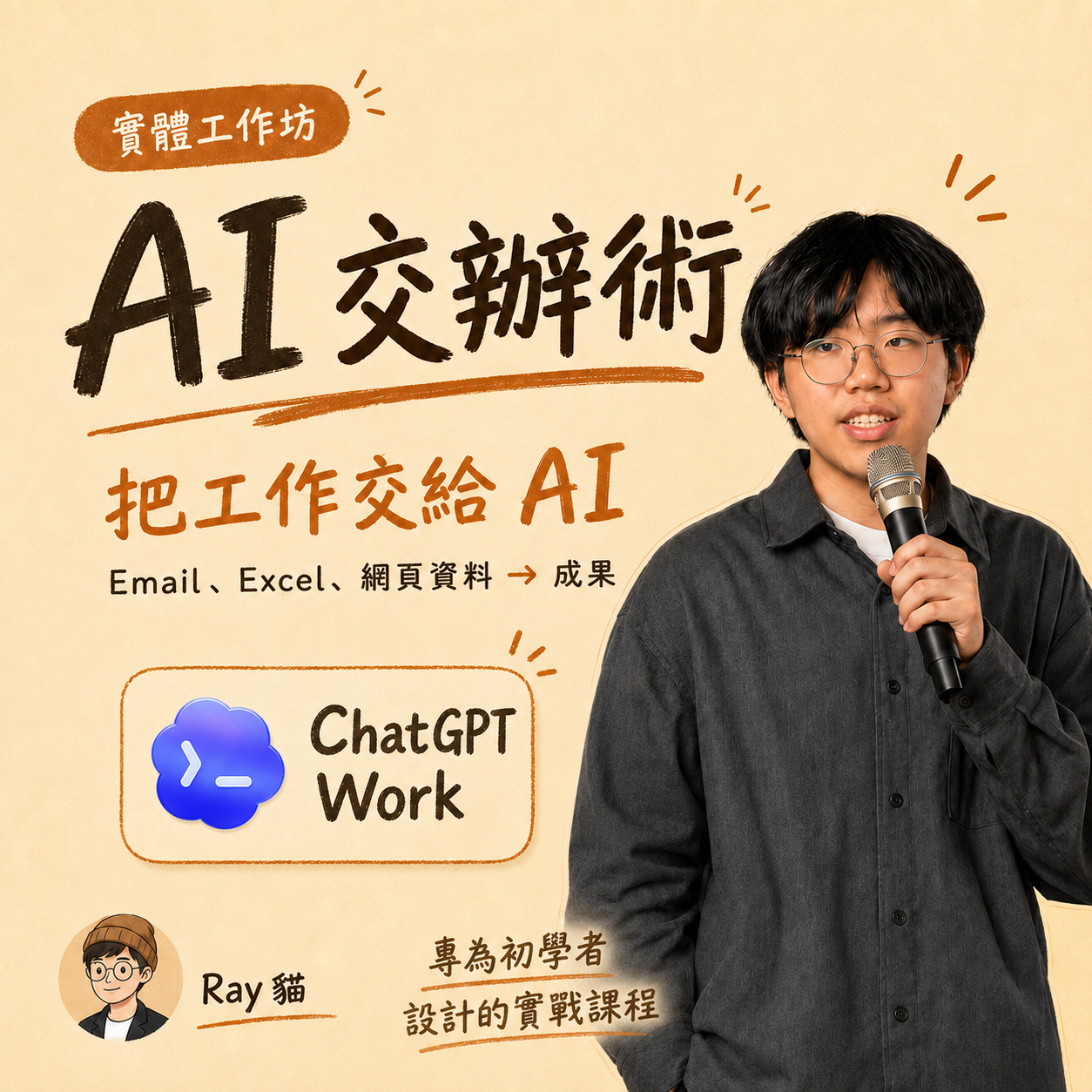
"AI Delegation Techniques": From Asking Questions to Actually Helping You Complete Tasks: Comprehensive ChatGPT Work Tutorial
Description
"AI Delegation Techniques": From Asking Questions to Actually Helping You Complete Tasks: Comprehensive ChatGPT Work Tutorial A practical course for zero-baseline office workers and teachers on AI Many people have used ChatGPT, but most of them might still be at the stage of 'I ask a question, it answers a question.' Asking it to revise a piece of text, come up with a few titles, or look up a question are certainly useful. But when a supervisor suddenly throws three emails, a spreadsheet at you, asking to organize them into a presentation by tomorrow morning; or when course outlines, teaching materials, and parent messages all need to be ready before tomorrow’s class, you end up having to open five windows and slowly copy and paste it all by yourself. However, today’s AI is no longer just for chatting. It can read documents, organize files, look up information online, process spreadsheets, create presentations, and even directly operate browsers and computers. The problem is that when AI becomes this powerful all at once, many people get stuck in another way: What tasks can I really assign it? How should I say it so it knows what to do? After it’s done, how do I know it didn’t mess up? This class on ‘AI Delegation Techniques’ is specifically designed for those of you who want to let AI genuinely help with tasks but don’t know where to start. I will start from the basics of ChatGPT and Codex, guiding you to understand what today’s AI can really do. Then, I will walk you through delegating a task: providing data, clearly stating requirements, watching it execute the task, identifying its mistakes, and finally receiving a document, spreadsheet, or presentation that you can actually continue to modify and use. No programming knowledge is necessary, and you don’t need to memorize a bunch of prompts. As long as you can operate a computer, you can follow along. 🔥 Core Highlight: Actually Delegating a Task to AI This will not be a class where you just sit and watch me demonstrate how 'amazing AI is.' I will directly prepare a set of data close to actual work: emails, attachments, spreadsheets, websites, and a few intentional errors. You will follow me to delegate these items to AI, letting it check, organize, and produce the first version of results on its own. Then we won’t just take its word for it. I will show you where it misunderstands, which numbers are incorrect, which content has no source, as well as what actions must wait for your confirmation. You will personally correct it once and validate the second version of results to make it usable. What you take away won’t just be a class assignment, but the complete process: Find the right task → Clearly state requirements → Let AI perform the task → Catch mistakes along the way → Validate results → Save the method for future use. 💼 In Class, I Will Help You Practice These Work Scenarios Organizing a bunch of data into a presentation Starting from emails, attachments, spreadsheets, and web data, I will help AI organize key points, check sources, and create a six-page presentation. You will see where it goes wrong in the first version and how to request corrections until it’s usable. Letting AI help you look up information, but not blindly copying answers Ask AI to compare three options, prices, or services, not just providing a conclusion but also keeping the original website, inquiry date, and any unverifiable spots. Teachers can also apply the same method to organize teaching materials, activities, or visit plans. Instructing AI to organize spreadsheets and find what really needs attention Let AI read an expense report, progress report, or anonymous feedback, helping you calculate totals, categorize data, and highlight anomalies. I will intentionally include an error for you to practice spot-checking instead of blindly trusting pretty charts. Using AI to operate browsers and computers, but not sending things recklessly for you I will demonstrate how AI opens web pages, finds information, fills in test content, and organizes files; before sending emails, submitting, publishing, paying, or deleting, it will always pause for your decision. 🛠️ Complete Practical Course Outline 1. Meet Your First AI Executor What’s the difference between ChatGPT, Codex, and general chat-based AIs? I will start from accounts, interfaces, and basic operations, guiding you to delegate files to AI for the first time, ask it to produce results, download, open, and retrieve files. 2. Identify Your First Task Worth Delegating to AI AI is powerful, but the biggest challenge often is you suddenly not knowing what to have it do. I will help you find several tasks from your daily repetitive checking, moving, comparing, organizing, and redoing that are suitable for delegation to AI, and also inform you which data should not be assigned and which tasks are still safer to do yourself. 3. Don’t Just Throw Out the Phrase “Help Me Organize” AI doesn’t have mind-reading abilities. If you only provide one phrase, it can only guess. I will teach you how to clarify objectives, data, outcomes, and boundaries. In class, we will directly complete a 'Delegation Card,' so when new tasks arise, you can fill it out without starting from a blank prompt every time. 4. Let AI Start Working, and Know When to Call a Halt This unit will involve actual file handling, browser usage, computer operations, and plugin capabilities. I will also introduce how sub-agents can break up larger tasks. The focus isn’t merely to explore all functionalities but to help you understand: what AI is currently doing, whether it has gone off track, and when you should intervene. 5. AI Finishing a Task Doesn’t Mean the Job is Done We will check sources, numbers, dates, formats, and content that AI generated without evidence. I will also help you outline the 'Approval Line': before sending emails, submitting, publishing, paying, deleting, and changing permissions, AI must pause for your confirmation. 6. Save Successful Methods for Next Time Lastly, I will introduce Record & Replay and how to save this successful method for future use. Next time, just change the email, spreadsheet, teaching material, or attachment, and you can rerun the process without retraining AI every time. 🧠 The Real Lesson I Want to Teach You Isn’t Just One Button AI's functionalities will continue to be updated, and the button placements today may look different months from now. So, I don’t want to just take you through a functional menu. I want to teach you a way of judgment that you can continue to use in the future: What tasks are suitable for AI? How should data be prepared? How should requirements be communicated? What should you observe during execution? Finally, how to validate results? Once you have successfully completed your first task, you can extend the same methods for administrative, planning, operations, teaching preparation, research, spreadsheets, or presentations. 🙋♂️ About the Instructor: Who Am I? I am Ray Cat, a full-stack engineer and entrepreneur, and also the founder of Redia Labs, LLC. I have previously published a technical book on generative AI application development, "Starting from Scratch, Building a Generative AI Platform". I am currently developing and operating multiple software products independently while sharing AI practices and entrepreneurship insights with over 15,000 readers on Threads. In my daily work, I don’t just use AI for writing. I have AI read emails, look up information, analyze ads, organize costs, process documents, and create presentations, with me verifying the results and deciding the next step. You could even say my whole company is AI-driven. What I truly want to show you in class is how I delegate tasks, what mistakes it makes along the way, and how I ultimately confirm the usability of output. 🎟️ Event Information This will be a seriously prepared three-hour practical course. It’s not just about sitting and listening; please bring your laptop as we will work together to delegate the first task to AI. Course Duration: 4 hours Participants: 25 people On-site Setup: Ray as the main speaker + 2 technical assistants Course Fee: 2,980 NT$ (Previous enrollees in the iOS Vibe Coding course can enjoy a 1,000 NT$ discount) Supported Computers: Windows or macOS; detailed account and equipment preparations will be notified before the course Data Security: In class, we will use shared fictional data and won’t upload sensitive data from companies, clients, students, or parents. Location: Happ. Little Treehouse! 302 Shansong Address: No. 2-3, Lane 709, Section 4, Bade Road, Songshan District, Taipei City, 3rd Floor-302 Room Access Method 1. The entrance is located in Lane 709, Section 4, Bade Road. After coming out of Exit 5 of Songshan MRT Station, you need to cross the road, go straight into the alley between Jiu Er Liang Mian and 7-11; the Little Treehouse main door will be on your left, just push the door open to enter. 2. After coming up from Exit 1 of Songshan MRT Station, you can cross from the claw machine store at No. 715, Section 4, Bade Road; the Little Treehouse main door is on your right, just push the door open to enter. 3. This building does not have an elevator; stairs are required to go upstairs and the stairs are relatively steep. Are you ready to really have AI help you for the first time? You don’t need to become an AI expert first, nor do you need to study all functionalities completely. Bring your laptop, and I will start from step one to help you genuinely delegate a task to AI.
Event location
Let your network know you`re going
Share this event to start conversations, invite colleagues, and connect before it begins.
Related events

Asia Blockchain Summit
International Conference on Technologies and Applications of Artificial Intelligence
International Conference on Machine Learning and Data Engineering
AI Security Forum

AI & Innovation: Asia Conference on Engineering and Information
International Conference on Fuzzy Theory and Its Applications
International Conference on Security and Information Technologies with AI, Internet Computingg and Big-data Applications
ACIS International Winter Conference on Software Engineering, Artificial Intelligence, Networking and Parallel/Distributed Computing (SNPD-Winter)
The First International Symposium on Future Information, Communication and Blockchain Technology
IEEE International Conference on Artificial Intelligence Circuits and Systems
International Conference on Metaverse and AI Companions in Education and Society